





Home / SEO / How AI Overviews Work: 5 Easy Steps to Understand AI Search
How AI Overviews Work Key Takeaways
AI Overviews are AI-generated summaries that appear at the top of Google search results, synthesizing information from multiple sources to answer complex queries.
- How AI Overviews Work relies on large language models and real-time indexing
- AI Overviews blend natural language processing with traditional search ranking signals
- Optimizing for AI Overviews requires clear structure, authority, and context-rich content
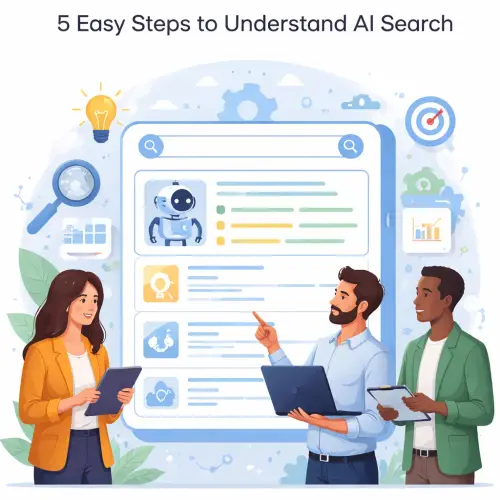
What Readers Should Know About How AI Overviews Work
If you’ve searched Google recently, you may have noticed a block of AI-generated text at the top of the results before any links. That’s an AI Overview. Instead of showing a traditional list of ten blue links, Google now uses AI to synthesize the best information from across the web into a single, digestible answer. For content creators and digital marketers, this shifts the way visibility is earned. For a related guide, see How to Optimize Rank Math for AI Overviews and Answer Engines (AEO Mindset).
In essence, AI Overviews explained for beginners comes down to three core actions: the AI reads web pages, picks the most relevant facts, and arranges them into a clear answer with citations. It’s like having a research assistant that scans dozens of articles and presents you with a one-paragraph summary.
The Core Technology Behind How AI Overviews Work
AI Overviews are powered by a custom large language model (LLM) combined with Google’s Knowledge Graph and real-time search index. This system does not reinvent search from scratch—it sits on top of existing ranking signals and adds a layer of generative summarization.
Step 1: Query Interpretation
When you type a question, Google’s language model breaks it down into intent, entities, and relationships. For example, “how to fix a leaking faucet” is parsed into “leaking faucet” (the problem) and “fix” (the action).
Step 2: Information Retrieval
The model queries Google’s live index for authoritative, relevant pages. It prioritizes high-quality sources with clear structure, fresh content, and strong domain expertise.
Step 3: Summarization and Generation
After collecting text from multiple sources, the LLM synthesizes that content into a concise, natural-sounding answer. It identifies the most important points, removes redundancy, and arranges them logically.
Step 4: Citation Mapping
Each fact or claim within the AI Overview is linked to the source page via a numbered citation. Google’s system checks that the cited page actually contains the referenced information, improving trustworthiness.
Step 5: Display and Ranking
The AI Overview is inserted directly into the search results page, often above the first organic listing. The decision to show an Overview depends on query complexity, confidence in the generated answer, and user context (e.g., device, location, search history).
Benefits and Limitations of AI Overviews for Beginners
Understanding both the upside and the drawbacks helps you decide how to adapt your digital marketing approach.
Key Benefits
- Faster answers: Users get immediate information without clicking through to multiple pages.
- Better comprehension: Complex topics are broken down into simple summaries.
- Increased visibility: Being cited in an AI Overview can drive high-intent traffic to your site.
Notable Limitations
- Reduced click-through rates: Users may not scroll past the overview to click your link.
- Factual inaccuracies: AI can misinterpret nuance or generate false information (hallucinations).
- Source opacity: Not all cited sources are equally authoritative, and users may not verify.
How to Optimize Content for AI Overviews
AI summary in search is here to stay, and aligning your content strategy with how AI Overviews work is essential. Below are practical optimization steps.
Write Clear, Concise Headings
Use descriptive H2 and H3 headings that directly answer common questions. The AI looks for headers that map to user intent.
Answer Questions Directly in the First Paragraph
When you answer a question, state the answer clearly within the first 50–100 words of a section. The AI favors directness over fluff.
Use Structured Data and Tables
Schema markup (especially FAQ and HowTo schema) helps the AI understand the structure of your content. Use tables for comparisons or step-by-step instructions.
Build Topical Authority
Create clusters of content around a core topic. The AI references content from across your site when building an Overview, so comprehensive coverage matters.
Cite Reliable External Sources
Link to authoritative sites. Google’s model weighs how well your content connects to credible third-party references.
Useful Resources
For a deeper dive into Google’s AI-powered search updates, visit the official Google Search blog on AI Overviews. To understand how LLMs work in search, read the Google Cloud Explainable AI overview.
Frequently Asked Questions About How AI Overviews Work
Frequently Asked Questions About How AI Overviews Work
What exactly is an AI Overview?
An AI Overview is a concise, AI-generated summary displayed at the top of Google search results that synthesizes information from multiple web pages to answer a user’s question.
How is an AI Overview different from a featured snippet?
Featured snippets pull a single excerpt from one page. AI Overviews generate a custom summary combining multiple sources. They are more flexible and can cover broader questions.
Does Google use ChatGPT for AI Overviews?
No. Google uses its own large language model called Gemini (formerly PaLM 2) combined with its search index, not ChatGPT.
Can I turn off AI Overviews?
There is no official setting to disable AI Overviews. Some users bypass them by adding “web” before their query or using the “Web” filter in search results.
Why do AI Overviews show wrong information sometimes?
LLMs can misinterpret ambiguous language, outdated content, or satire. Google includes feedback mechanisms to report errors.
How many sources does an AI Overview use?
Typically between 2 and 12 sources, depending on the query complexity and the amount of high-quality content available.
Does appearing in an AI Overview guarantee traffic?
Not necessarily. While the citation link is visible, some users never click through. However, being cited can boost brand visibility and authority.
How do I check if my site appears in an AI Overview?
Use Google Search Console’s performance report with the “Search appearance” filter set to “Web Story” or manually search for queries your content targets.
What is the best content length for AI Overviews?
Aim for comprehensive coverage rather than a specific word count. Longer, deeply researched articles are more likely to be cited than thin content.
Do AI Overviews work on mobile devices?
Yes, AI Overviews appear on both mobile and desktop searches. The layout adapts to screen size.
How often does Google update AI Overviews?
Google updates the underlying model and ranking signals continuously. Major changes are announced via the Google Search blog, typically a few times per year.
Can I block my content from being used in AI Overviews?
You can use the “nosnippet” meta tag to prevent any content snippets, though this also blocks regular featured snippets. There is no specific AI Overviews opt-out.
Does schema markup help AI Overviews find my content?
Yes, structured data like FAQ, HowTo, and Article schema helps Google understand your content structure and may increase the chance of being selected.
Why do some queries get an AI Overview and others don and #x2019;t?
Google shows Overviews when it has high confidence in the generated answer. Factual, well-documented topics are more likely to qualify than subjective or low-data queries.
Are AI Overviews available in all languages?
Initially rolled out in English for the US, Google has expanded to more languages and countries gradually. Check the Google Search Status Dashboard for current coverage.
What is the difference between AI Overviews and Google SGE?
Google SGE (Search Generative Experience) was the experimental name for AI Overviews during the testing phase. The public release is simply called AI Overviews.
Can AI Overviews show images or videos?
Currently, AI Overviews are mostly text-based, but Google has demonstrated the ability to include relevant images from cited pages in some cases.
How do I optimize for AI Overviews without losing organic traffic?
Focus on creating in-depth, engaging content that entices users to click through even after reading the summary. Use format variety (lists, tables, images) and clear calls to action. For a related guide, see Mobile SEO: A Beginner’s Guide to Ranking on Phones.
Will AI Overviews replace traditional search results?
Not entirely. Google positions AI Overviews as a complement, not a replacement. Traditional organic listings remain important for transactional and comparison queries.
What role does user feedback play in AI Overviews?
Google collects thumbs-up/down feedback and written reports to improve model accuracy. This feedback loop helps reduce hallucinations and improve relevance.
For a complete digital marketing roadmap that includes AI-driven SEO strategies, explore our pillar page on digital marketing strategies in Cambodia. Understanding How AI Overviews Work is just one piece of a larger online visibility puzzle.