





What is ChatGPT Key Takeaways
At its core, ChatGPT is a conversational AI model built by OpenAI that can understand and generate human-like text.
- What is ChatGPT ? It is a large language model trained on diverse internet text, allowing it to chat, write, summarize, and code with impressive accuracy.
- Beginners can access ChatGPT through a free tier or paid subscriptions like ChatGPT Plus, which offers faster responses and advanced features.
- Practical uses range from drafting emails and creating content to learning new topics and debugging code — making it a versatile assistant for almost any field.
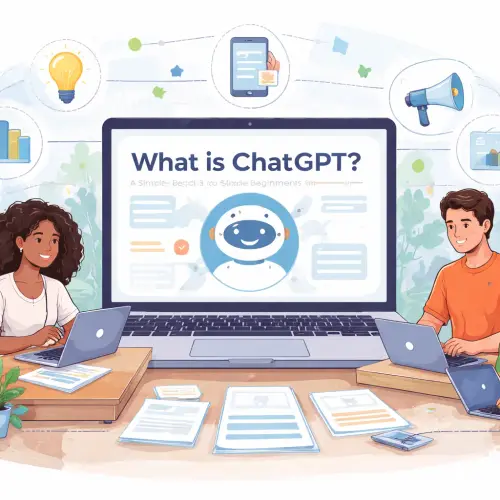
What Readers Should Know About What is ChatGPT in 2026
If you have ever wondered what is ChatGPT and how it can help you in daily life or work, you are not alone. This AI tool has evolved rapidly since its launch in late 2022, and by 2026 it offers more reliable information, better reasoning, and stronger safety features. For beginners, understanding its core capabilities — and its limitations — is the first step to using it effectively.
How ChatGPT Actually Works
ChatGPT is built on a neural network trained on billions of words from books, articles, and websites. It does not “think” like a human, but it predicts the next most likely word in a sentence based on patterns it has learned. This process repeats billions of times per conversation, allowing it to generate coherent paragraphs, answer follow-up questions, and even adopt different tones or styles. For a related guide, see Jasper AI Review 2026: Agentic, Brand‑Safe Content at Scale.
Why It Matters for Beginners
For students and fresh graduates, ChatGPT for beginners means having a tireless study partner that can explain complex topics in simpler terms. For digital marketers and bloggers, it can draft social media posts, SEO-optimized articles, or email sequences in seconds. Virtual assistants and freelancers use it to organize tasks, write proposals, and summarize research. The key is to treat ChatGPT as a collaborator, not a replacement for your own judgment.
Key Benefits of ChatGPT for Beginners
Understanding the benefits helps you decide where to invest your time. Here are the standout advantages you can expect from the 2026 version of ChatGPT.
- Speed and Scale: Generate a 500-word blog post draft in under 10 seconds.
- 24/7 Availability: No human assistant can answer questions at 3 AM – ChatGPT can.
- Cost-Effective: The free tier already covers most basic needs; paid plans are optional for power users.
- Multilingual Support: Write in English, Spanish, French, Japanese, and dozens of other languages.
Step-by-Step: Getting Started with ChatGPT
If you are ready to try what is ChatGPT for yourself, follow these five simple steps. No technical background required.
Step 1: Create an OpenAI Account
Go to chat.openai.com and sign up with your email, Google, or Microsoft account. The free plan gives you access to the GPT-3.5 model, which is fast and capable enough for most tasks.
Step 2: Choose Your Plan – Free or Paid
In 2026, ChatGPT Free still offers solid performance. ChatGPT Plus ($20/month) unlocks GPT-4, which handles longer context, more nuanced reasoning, and image analysis. If you are a student or casual user, start with the free version.
Step 3: Start a Conversation
Type a clear question or request. For example: “Explain quantum computing in simple terms” or “Write a professional email requesting a meeting.” The more specific you are, the better the response.
Step 4: Refine Your Prompts
If the first answer is not perfect, provide feedback. Say “Make it shorter” or “Add more examples.” ChatGPT remembers the conversation context, so you can refine iteratively.
Step 5: Export or Save Important Outputs
Copy useful responses into documents, emails, or content management tools. ChatGPT does not automatically save your chats unless you enable history, so keep a backup of important work.
Common Limitations New Users Should Know
Honesty about weaknesses makes you a smarter user. Here are the main limitations of ChatGPT guide 2026 that beginners often overlook.
- Not Always Accurate: ChatGPT can confidently present incorrect facts. Always verify sensitive information, especially for medical, legal, or financial advice.
- No Real-Time Knowledge: Unless you use the browsing plugin, its knowledge may be outdated. For current events, enable search or check other sources.
- Inconsistent Tone: It can switch from formal to casual mid-conversation if not guided. Use specific style instructions to keep consistency.
- Token Limits: Very long documents may be truncated. Break large projects into smaller parts.
Practical Tips to Maximize Your Results
Once you understand what is ChatGPT, you can apply these optimization techniques to get higher-quality output every time.
Use System Instructions
At the start of a chat, define the role: “Act as a senior copywriter for a tech blog.” This sets the tone and expertise level for the entire conversation.
Break Complex Tasks into Steps
Instead of asking for a complete ebook, ask for an outline first, then expand each chapter one by one. This avoids the token limit and gives you more control.
Combine with Other Tools
Use ChatGPT alongside Grammarly for polishing, Google Trends for keyword insights, or Canva for visuals. The AI is strongest when paired with human oversight.
Experiment with Different Phrasings
Rephrasing the same question can yield dramatically different answers. If one approach fails, try asking from a different angle or providing more context.
Useful Resources
To deepen your understanding of introduction to ChatGPT and its capabilities, check these reputable sources:
- OpenAI ChatGPT Official Page – Direct access to the tool, plan details, and the latest updates.
- DeepLearning.AI – ChatGPT Prompt Engineering Course – A free short course (created with OpenAI) that teaches you how to craft effective prompts.