





summarize YouTube videos with Poppy AI Key Takeaways
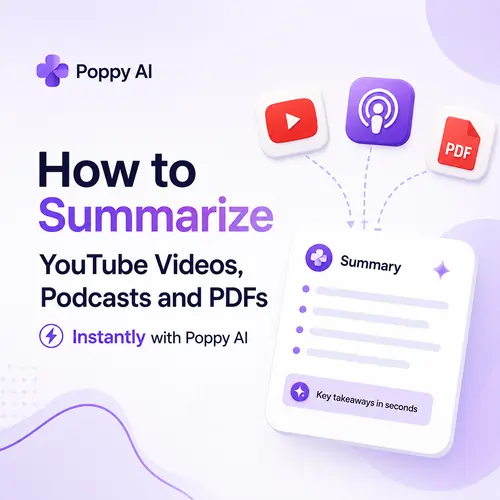
Poppy AI is a visual workspace that helps you instantly extract key insights from YouTube videos, podcasts, and PDFs.
Why You Need a Better Way to Summarize Content
Let me be honest with you, brother. I used to spend hours watching YouTube tutorials, listening to long podcasts, and reading through thick PDFs just to find a few useful ideas. By the end of the day, my brain was fried, and I still couldn’t remember half of what I learned.
Maybe you feel the same way. You open YouTube to learn something new, and suddenly you are 45 minutes deep into a video that had only 3 minutes of real value. Or you download a PDF guide, promising yourself you will read it tonight, but it sits untouched for weeks.
I see this all the time with creators, students, and business owners in Cambodia. យើងទាំងអស់គ្នារវល់ណាស់ (We are all so busy). Time is money. And if you cannot digest information quickly, you fall behind.
That is why I started using Poppy AI summarization tool. It changed how I consume content. Now I get the key points from a one-hour video in under 2 minutes. No fluff, no filler, just the good stuff.
What Exactly Is Poppy AI?
Poppy AI is not just another AI chatbot. It is a visual workspace designed for AI content summarizer tasks. You paste links, upload files, or drag-and-drop content, and it automatically extracts the most important information.
Think of it as your personal research assistant. It reads, watches, and listens for you. Then it organizes everything on a clean canvas where you can move ideas around, add notes, and export the final result.
I have tried ChatGPT, Gemini, Claude, and Perplexity for summarization. They all work, but Poppy feels different. It is built specifically for content research automation. The interface is simple, and you do not need to learn complex prompts. For a related guide, see Best AI Tools for Content Creation in 2026 (Agentic, Multimodal, and Built for Scale).
Key Features That Make Poppy AI Stand Out
- Drag-and-drop content processing — Drop YouTube links, audio files, or PDFs directly onto the canvas.
- Visual AI workspace — Summaries appear as cards you can rearrange, group, or connect.
- AI knowledge extraction — Poppy identifies key themes, quotes, statistics, and action items automatically.
- Export options — Copy summaries as text, save as Markdown, or share with your team.
How to Summarize YouTube Videos with Poppy AI
This is the feature I use most, and I think you will love it too. Let me walk you through the exact steps.
Step 1: Open Your Poppy AI Workspace
Log in to Poppy AI and start a new project. You will see a blank canvas. It looks like a whiteboard where you can drop anything.
Step 2: Paste the YouTube Video Link
Find the YouTube video you want to summarize. Copy the URL from the browser address bar. Go back to Poppy and paste it directly onto the canvas.
Poppy AI automatically starts transcribing the video. Depending on the length, this takes 10 to 30 seconds. You do not need to upload the actual video file — just the link.
Step 3: Review the Generated Summary
Once transcription is done, Poppy displays a card with the main points. It includes a short overview, key takeaways, and sometimes bulleted action items.
For example, I summarized a 40-minute interview about SEO trends. Poppy gave me 5 bullet points that covered the entire conversation. I saved about 38 minutes that day.
Step 4: Edit, Organize, or Export
You can edit the summary directly on the canvas. Add your own notes, highlight important parts, or drag the card to a different section. When you are done, export as text or share with your team.
That is it. In under 2 minutes, you have a clean, usable summary of any YouTube video. This is why YouTube video summarizer tools like Poppy are becoming essential for serious learners and creators.
How to Summarize Podcasts with Poppy AI
Podcasts are great, but they are long. A single episode can run 60 to 90 minutes. If you follow multiple shows, you cannot listen to everything.
With Poppy, you can summarize podcasts with Poppy AI in two ways.
Method 1: Paste a Podcast Episode Link
If the podcast is hosted on a platform that provides a direct audio URL (like Spotify, Apple Podcasts, or a dedicated show website), copy the link and paste it into Poppy. It will transcribe the audio and generate a summary.
Method 2: Upload an Audio File
If you have the MP3 file saved on your computer, just drag and drop it onto the Poppy canvas. This works even for offline episodes.
I use this method a lot during my commute. I download a podcast episode, drop it into Poppy when I arrive at my desk, and get a summary within minutes. It is like having a podcast note-taking tool that never misses a detail.
How to Summarize PDFs Instantly with Poppy AI
PDFs are the worst when it comes to information overload. Reports, research papers, eBooks — they are dense and hard to scan.
Poppy makes it easy to summarize PDFs instantly with Poppy AI.
Step 1: Drop the PDF Onto the Canvas
Drag your PDF file from your computer directly into Poppy. The tool accepts most formats, including scanned documents and text-heavy reports.
Step 2: Wait for AI Analysis
Poppy reads the entire document and extracts the most important sections. It identifies headings, key arguments, data points, and conclusions.
Step 3: Review and Use the Summary
The result is a structured summary that saves you from reading 50 pages. You get the core message in a few paragraphs. For students and researchers, this is a game-changer.
I have used this feature to review industry reports for clients. Instead of spending 2 hours reading, I spend 5 minutes scanning the Poppy summary. PDF analysis with AI at this speed feels like cheating — but it is not.
Advanced Tips for Power Users
Once you are comfortable with the basics, try these advanced workflows to get even more value.
Combine Multiple Sources on One Canvas
You can drop a YouTube video, a podcast episode, and a PDF all onto the same Poppy canvas. Poppy will summarize each one separately. Then you can compare, contrast, and combine insights.
This is perfect for content research system building. I do this when researching a blog post topic. I gather 3 to 5 sources, let Poppy summarize them, and pick the best ideas.
Use Poppy as an AI Learning Assistant
If you are studying a complex subject, use Poppy to break down each resource step by step. Summarize a chapter, watch a video explanation, and listen to a podcast interview — all in one workspace.
Poppy becomes your AI-powered learning workflow companion. You cover more ground in less time.
Export Summaries for Content Creation
Content creators can export Poppy summaries and use them as outlines for blog posts, social media captions, or video scripts. It speeds up the ideation phase significantly.
I have written entire articles based on a Poppy summary of a podcast. The summary gave me the structure; I just added my own examples and voice.
How Poppy AI Compares to Other Tools
You might wonder: Why use Poppy instead of ChatGPT, Gemini, Claude, Perplexity, or Microsoft Copilot? Let me break it down.
| Tool | Best For | Limitation for Summarization |
|---|---|---|
| Poppy AI | Visual workspace, drag-and-drop, multi-format support | Newer platform, fewer integrations |
| ChatGPT | Text-based Q and A, general tasks | Requires manual prompts; no native audio or video handling |
| Gemini | Research and data synthesis | Less visual; summary output can be lengthy |
| Claude | Long-form content analysis | No direct video/audio upload; needs text input |
| Perplexity | Research with citations | Geared toward search, not workspace organization |
| Microsoft Copilot | Office suite integration | Limited to text and document files |
Poppy fills a gap that general AI assistants miss. It is designed for information management system workflows, not just one-off Q and A. If you work with multiple content formats daily, Poppy is worth adding to your toolkit.
Why Cambodian Creators and Students Should Use Poppy AI
I talk to many people in Cambodia who want to learn faster and grow their businesses. They watch YouTube tutorials, listen to business podcasts, and read PDF guides. But they struggle to keep up.
បើអ្នកជាអ្នកបង្កើតមាតិកា ឬជាសិស្សនៅភ្នំពេញ (If you are a content creator or a student in Phnom Penh), Poppy AI can help you save hours every day. Instead of rewatching videos or rereading documents, you get the summary instantly. That extra time can go toward creating, studying, or resting. For a related guide, see 10 Ways Poppy AI Saves Content Creators Hundreds of Hours Every Month Focus.
I have also noticed more Cambodian professionals using AI productivity tools to stay competitive. Poppy is one of the easiest to start with because you do not need technical skills. Just paste, drop, and read.
Common Mistakes to Avoid When Using Poppy AI
Even with a great tool, there are a few traps. Let me share them so you avoid my early frustrations.
Mistake 1: Expecting Perfect Summaries Every Time
Poppy AI is powerful, but it is not magic. If the original audio or video is low quality, the transcription may have errors. Always review the summary and edit if needed.
Mistake 2: Skipping the Editing Step
The AI gives you a draft. Your brain adds the real value. Take 2 minutes to adjust the summary so it matches your context. Add personal notes or examples.
Mistake 3: Overloading the Canvas
It is tempting to drop 20 sources at once. But too many summaries on one canvas can become chaotic. Keep each project focused on one topic or goal.
How to Get Started with Poppy AI Today
Getting started is simple. Go to the Poppy AI website, create a free account, and open a new project. Try summarizing a YouTube video first — it is the fastest way to see the value.
Here is a quick checklist to begin your Poppy AI tutorial journey:
- Create a free Poppy AI account.
- Open a new visual canvas.
- Paste a YouTube link or upload a PDF.
- Wait for the AI to process the content.
- Review and edit the summary.
- Export or use the insights directly.
That is all it takes. In your first session, you will save at least 30 minutes compared to manual note-taking.
Useful Resources
To deepen your understanding of AI summarization and productivity workflows, check out these resources:
- Poppy AI Official Website — Sign up, explore features, and start your first project.
- Google AI Overviews — Learn how AI-generated summaries are changing search results and content strategy.
Final Thoughts: Your Time Is Too Valuable to Waste
I have been in SEO and digital marketing since 2008. I have seen tools come and go. But Poppy AI is different. It solves a real problem that every content creator, student, and professional faces: too much information, too little time. For a related guide, see What is Poppy AI? The First Multiplayer Visual AI Tool for Creators in 2026.
By learning how to summarize YouTube videos with Poppy AI, you free up hours every week. Hours you can spend creating, learning something new, or simply relaxing with family. ពេលវេលាជាលុយ (Time is money).
My advice: Try Poppy AI today with one YouTube video. See how fast you get the insights. Once you experience the speed, you will never go back to manual note-taking.
If you found this guide helpful, share it with a friend or colleague in Cambodia who also struggles with information overload. Let us all work smarter, not harder.
Frequently Asked Questions About summarize YouTube videos with Poppy AI
How does Poppy AI summarize videos ?
Poppy AI transcribes the audio from the video link you provide, then uses its AI model to extract the most important points, themes, and action items. The summary appears as a clean card on your visual canvas.
Can Poppy AI summarize podcasts ?
Yes. You can paste a podcast episode link or upload an audio file directly. Poppy transcribes and summarizes the content just like it does with YouTube videos.
Can Poppy AI summarize PDFs ?
Absolutely. Drop any PDF onto the Poppy canvas, and it will scan the document, identify key sections, and generate a structured summary with the main insights.
What is the best AI summarizer for creators ?
For creators who work with multiple content formats, Poppy AI is one of the best because it handles videos, audio, and PDFs in one visual workspace. It saves time and keeps everything organized.
How to get key points from YouTube videos quickly ?
Paste the YouTube video link into Poppy AI. The tool transcribes and summarizes the content within seconds. You get the key points without watching the entire video.
How to summarize long podcasts with AI ?
Upload the podcast audio file or paste the episode link into Poppy AI. It will process the entire episode and return a concise summary with main themes and takeaways.
How to extract insights from PDFs using AI ?
Drag your PDF into Poppy AI. The tool reads the document, identifies headings and key data, and generates a summary. You can then edit or export the insights.
Can ChatGPT summarize YouTube videos?
ChatGPT can summarize video transcripts if you provide the text. However, it does not natively transcribe audio or video. You would need a separate transcription tool first.
Can Gemini summarize PDFs?
Gemini can analyze PDFs if you upload the file, but the output is more suited for data analysis than concise summaries. Poppy AI offers a more streamlined, visual approach.
Can Claude summarize long documents?
Claude is excellent for long-form text analysis, but it requires you to paste the text manually. For audio or video content, you need to transcribe first and then feed the text to Claude.
Is Perplexity good for research summaries?
Perplexity is great for web research with citations, but it does not offer a visual workspace or direct audio/video summarization. Poppy is better for organizing multiple source types.
Can Microsoft Copilot summarize audio files?
Microsoft Copilot can summarize text from documents and web pages, but it does not natively handle audio files. You would need to transcribe the audio first.
How much does Poppy AI cost?
Poppy AI offers a free tier with basic features. Paid plans start at a monthly rate, giving you more processing capacity and advanced export options. Check the official website for current pricing.
Can I use Poppy AI for team projects?
Yes. Poppy AI allows you to share canvases with team members. Everyone can view and edit summaries, making it useful for collaborative research and content planning.
Does Poppy AI support languages other than English?
Poppy AI primarily works with English, but it can process content in other languages with varying accuracy. Check the tool’s documentation for the latest language support.
Can I export summaries to Google Docs or Notion?
Currently, Poppy AI allows export as plain text or Markdown. You can easily copy the summary and paste it into Google Docs, Notion, or any other writing tool.
How accurate is Poppy AI transcription?
For clear audio with minimal background noise, accuracy is high. If the audio is poor or has heavy accents, you may need to edit the transcript slightly.
Can Poppy AI summarize live streams?
Not directly. You would need to record the live stream first and upload the audio or video file. Alternatively, use the YouTube replay link if available.
Is Poppy AI safe for confidential documents?
Poppy AI uses standard encryption practices. However, for highly sensitive information, check their privacy policy or contact support to confirm data handling procedures.
What happens if I exceed my monthly processing limit?
If you exceed the limit on your current plan, you can wait until the next billing cycle or upgrade to a higher plan for more processing capacity.